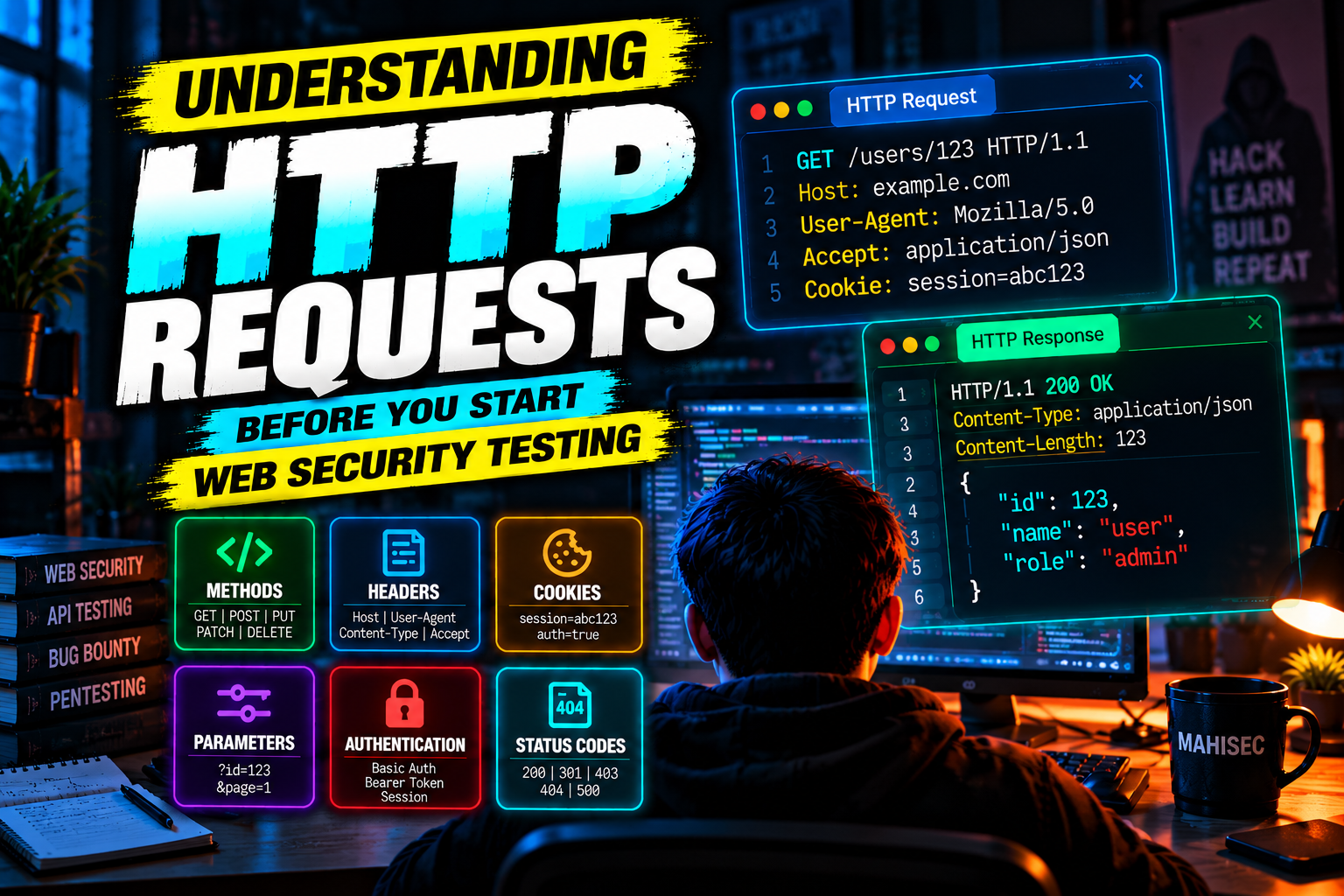
Before testing a web application for vulnerabilities, there is one thing you need to understand properly: HTTP requests.
Tools such as Burp Suite, OWASP ZAP, browser DevTools, curl, and various automated scanners are useful, but they don't replace understanding how the application communicates.
If you don't understand the request you're modifying, you're essentially clicking buttons and hoping a vulnerability appears.
This article breaks down HTTP requests and responses from a security-testing perspective and explains what to look for before testing a web application.
What Is HTTP?
HTTP, or Hypertext Transfer Protocol, is the protocol commonly used for communication between web clients and servers.
When you visit:
https://example.com/profileyour browser sends a request to the server.
The server processes that request and sends a response back.
At a simplified level:
Browser
   |
   | HTTP Request
   ↓
Web Server
   |
   | HTTP Response
   ↓
Browser
This request/response model is the foundation of web applications.
During security testing, we are interested in understanding and manipulating both sides of this communication.
1. Anatomy of an HTTP Request
A typical HTTP request might look like this:
GET /profile HTTP/1.1
Host: example.com
User-Agent: Mozilla/5.0
Accept: text/html
Cookie: session=abc123
There are several important components here.
Request Method
GETRequest Path
/profileHTTP Version
HTTP/1.1Headers
Host: example.com
User-Agent: Mozilla/5.0
Accept: text/html
Cookie: session=abc123
Understanding each component is important because vulnerabilities can occur when applications incorrectly trust or process them.
2. HTTP Methods
The HTTP method tells the server what type of operation the client is requesting.
The most common methods are:
HTTP Method Reference

GET      → Retrieve data
POST     → Submit data
PUT      → Replace or update a resource
PATCH    → Partially update a resource
DELETE   → Delete a resource
HEAD     → Retrieve headers without the response body
OPTIONS  → Discover supported communication options
For example:
GET /users/123 HTTP/1.1
Host: example.com
might retrieve information about user 123.
A login request might look like:
POST /login HTTP/1.1
Host: example.com
Content-Type: application/x-www-form-urlencoded

username=testuser&password=Password123
The method itself doesn't make an endpoint secure or insecure.
A POST endpoint can still contain an authorization vulnerability.
A GET endpoint can still expose sensitive information.
The important question is:
How does the server process the request?
3. HTTP Headers
Headers provide additional information about the request or response.
For security testing, headers are extremely important.
Consider:
GET /dashboard HTTP/1.1
Host: example.com
User-Agent: Mozilla/5.0
Accept: text/html
Cookie: session=abc123
Some headers you will encounter frequently include:
Host
Host: example.comIdentifies the host being requested.
User-Agent
User-Agent: Mozilla/5.0Identifies the client making the request.
Referer
Referer: https://example.com/loginCan indicate the page from which the request originated.
Content-Type
Content-Type: application/jsonDescribes the format of the request body.
Authorization
Authorization: Bearer eyJhbGciOi...Often contains authentication credentials such as a bearer token.
Cookie
Cookie: session=abc123May contain session identifiers and other client-side state.
4. Cookies and Sessions
Web applications commonly use cookies to maintain state between requests.
For example:
Cookie: session=abc123After logging in, the server might associate abc123 with your authenticated session.
Your browser then sends that cookie with subsequent requests:
GET /dashboard HTTP/1.1
Host: example.com
Cookie: session=abc123
The server uses the session information to determine who you are.
This is why session management is such an important part of web security.
During authorized testing, you may examine:
How sessions are created
How sessions expire
Whether session identifiers change after login
Whether logout invalidates the session
Whether sensitive operations require reauthentication
Whether cookies have appropriate security attributes
Important cookie attributes include:
Secure
HttpOnly
SameSite
For example:
Set-Cookie: session=abc123; Secure; HttpOnly; SameSite=LaxThese attributes help reduce certain classes of attacks, although their presence alone doesn't guarantee secure session management.
5. Query Parameters
Consider this request:
GET /profile?id=123 HTTP/1.1
Host: example.com
The parameter is:
id=123Applications frequently use parameters to identify resources.
Examples:
/product?id=100
/user?uid=42
/download?file=report.pdf
/search?q=security
During authorized testing, parameters deserve attention because they often influence server-side behavior.
For example:
/user?id=123might retrieve user 123.
A security tester should determine whether the application properly verifies that the authenticated user is allowed to access that resource.
That is where broken access control and IDOR/BOLA testing become relevant.
6. Request Bodies
Not all data is placed in the URL.
POST, PUT, and PATCH requests frequently contain a body.
For example:
POST /api/profile HTTP/1.1
Host: example.com
Content-Type: application/json
Cookie: session=abc123

{
  "name": "Mahi",
  "email": "mahi@example.com"
}
The body contains application data.
Common formats include:
Form data
username=mahi&password=exampleJSON
{
  "username": "mahi",
  "role": "user"
}
XML
<user>
    <name>Mahi</name>
</user>
Multipart form data
Commonly used for file uploads.
Understanding the body format is essential when testing APIs and web applications.
7. HTTP Responses
The server responds to the request.
For example:
HTTP/1.1 200 OK
Content-Type: text/html
Content-Length: 1234

<html>
...
</html>
A response generally contains:
Status line
Response headers
Response body
The status code is particularly useful during testing.
8. HTTP Status Codes
Some important status codes are:
HTTP Status Code Reference

200  → OK
201  → Created
204  → No Content
301  → Permanent Redirect
302  → Temporary Redirect
400  → Bad Request
401  → Unauthorized
403  → Forbidden
404  → Not Found
405  → Method Not Allowed
429  → Too Many Requests
500  → Internal Server Error
502  → Bad Gateway
503  → Service Unavailable
Don't assume that a status code tells the entire security story.
For example:
401 Unauthorizedusually indicates that authentication is required.
But a 403 Forbidden response doesn't automatically mean that authorization is correctly implemented.
Likewise, a 200 OK response doesn't mean the operation was secure.
The response body and application behavior matter too.
9. Authentication vs Authorization
This distinction is critical.
Authentication
Authentication answers:
Who are you?
For example:
Username + Password
        ↓
Authentication
        ↓
Authenticated User
Authorization
Authorization answers:
What are you allowed to do?
For example:
Authenticated User
        ↓
Authorization Check
        ↓
Can access /admin?
An application can have strong authentication while having broken authorization.
For example, imagine:
GET /api/invoices/1001
Cookie: session=user123
The application verifies that you are logged in.
But does it verify that you are actually allowed to access invoice 1001?
That second check is authorization.
This distinction becomes particularly important when testing for IDOR/BOLA and other access-control vulnerabilities.
10. Why Burp Suite Is Useful
Burp Suite provides visibility into the HTTP communication between your browser and the target application.
A simplified workflow looks like:
Browser
   ↓
Burp Proxy
   ↓
Web Application
Instead of blindly interacting with the application, you can inspect the actual requests being sent.
For example:
POST /api/login HTTP/1.1
Host: lab.example
Content-Type: application/json

{
    "username": "test",
    "password": "test123"
}
You can then send the request to Burp Repeater and examine how the application behaves when individual parts of the request are changed.
That is far more useful than relying only on the application's graphical interface.
11. What Should You Look At During Testing?
Once you understand HTTP, start looking at requests systematically.
1. Endpoints
Identify:
/login
/profile
/admin
/api/users
/api/orders
/download
/upload
2. Parameters
Look for:
?id=
?user=
?file=
?redirect=
?url=
?search=
3. Cookies
Look for:
Cookie: session=...Understand how the application uses session state.
4. Authorization Headers
For APIs:
Authorization: Bearer <token>Understand how authentication tokens are used.
5. HTTP Methods
Determine whether an endpoint accepts:
GET
POST
PUT
PATCH
DELETE
and whether different methods produce different behavior.
6. Request Body
Look for sensitive or security-relevant fields:
{
    "user_id": 123,
    "role": "user",
    "status": "active"
}
Don't assume that because a field isn't visible in the UI, the server won't accept it.
7. Response Behavior
Compare:
Status code
Response length
Response body
Headers
Redirects
Error messages
Small differences can reveal important application behavior.
12. Changing One Thing at a Time
One of the most useful habits during web security testing is simple:
Change one variable at a time.
Suppose you have:
GET /api/user?id=123 HTTP/1.1Don't immediately modify ten different things.
Change:
123 → 124and observe the response.
Then test another relevant input.
This makes it much easier to determine which change caused the behavior.
It also makes your testing reproducible.
13. Comparing Requests
Suppose two requests look like this:
Request A
GET /api/profile?id=100
Cookie: session=userA
Request B
GET /api/profile?id=101
Cookie: session=userA
If both resources belong to different users, the application's authorization behavior becomes important.
You are not simply asking:
"Did the server return 200?"
You are asking:
"Did the server correctly determine whether this authenticated user is authorized to access this resource?"
That mindset is fundamental to effective web security testing.
14. Headers Can Influence Application Behavior
Some applications make security-sensitive decisions based on request headers.
Examples include:
Origin:
Referer:
Authorization:
Content-Type:
X-Forwarded-For:
However, don't assume that changing a header automatically creates a vulnerability.
The correct approach is:
Observe normal behavior.
Change one input.
Send the request.
Compare the response.
Determine whether the server actually trusts that input.
Verify whether the behavior has a meaningful security impact.
A difference in response alone isn't necessarily a vulnerability.
15. Understanding Redirects
Consider:
HTTP/1.1 302 Found
Location: /login
The server is telling the client to request another location.
Redirects are common during:
Login
Logout
Authentication failures
URL navigation
Application workflows
During testing, follow the entire request chain.
The initial response may not contain the interesting behavior.
16. Error Messages Are Useful Evidence
Applications sometimes return detailed errors:
HTTP/1.1 500 Internal Server Error

Database connection failed...
or:
SQL syntax error near...Detailed errors can reveal information about the underlying technology or application behavior.
However, don't automatically classify every verbose error as a vulnerability.
Determine:
What information is exposed?
Is it sensitive?
Can it help an attacker?
Is it reproducible?
Does it affect security?
Evidence matters more than the error itself.
17. HTTP and APIs
Modern applications increasingly communicate through APIs.
Instead of:
GET /profileyou may see:
GET /api/v1/users/123with JSON responses:
{
    "id": 123,
    "name": "Mahi",
    "role": "user"
}
The same HTTP concepts still apply:
Methods
Headers
Cookies
Tokens
Parameters
Request bodies
Responses
Status codes
Authorization
This is why learning HTTP is also the foundation for API security testing.
18. A Simple Testing Methodology
When you encounter a new web application, don't immediately start throwing payloads at it.
Start with observation.
Step 1 — Map the application
Identify:
Endpoints
Parameters
Forms
APIs
Authentication flows
File uploads
Redirects
Step 2 — Capture requests
Use:
Burp Suite
Browser DevTools
curl
Step 3 — Understand the normal behavior
Record:
Request
Response
Status code
Parameters
Cookies
Headers
Step 4 — Identify security boundaries
Ask:
Who is authenticated?
What can this user access?
Which resources belong to other users?
Which actions require elevated privileges?
Step 5 — Test one variable at a time
Change:
Parameter
HTTP method
Token
Cookie
Header
Request body
Step 6 — Compare results
Look for meaningful differences.
Step 7 — Validate the impact
A strange response isn't automatically a vulnerability.
You need to establish:
Unexpected behavior
        +
Security boundary crossed
        +
Meaningful impact
        =
Potential vulnerability
19. Common Beginner Mistakes
Mistake 1: Relying entirely on automated scanners
Automated tools are useful, but they don't understand application logic as well as a human can.
Mistake 2: Ignoring normal behavior
You need a baseline before you can recognize abnormal behavior.
Mistake 3: Changing too many variables
If you modify five things simultaneously, you won't know what caused the result.
Mistake 4: Focusing only on status codes
A 200 doesn't mean success from a security perspective.
A 403 doesn't prove authorization is correctly implemented.
Mistake 5: Testing without authorization
Only test applications and systems where you have explicit permission.
Use intentionally vulnerable applications, CTFs, local labs, bug bounty programs within their published scope, or systems you own.
Mistake 6: Confusing unexpected behavior with a vulnerability
A response difference is an observation.
You still need to establish security impact.
20. Practical Lab Setup
If you're learning web security, don't start by testing random websites.
Build a legal practice environment.
Useful intentionally vulnerable applications include:
OWASP Juice Shop
DVWA
WebGoat
PortSwigger Web Security Academy labs
A simple setup can be:
Your Browser
      ↓
Burp Suite
      ↓
Local Vulnerable Application
      ↓
Database
This allows you to experiment without risking someone else's systems.
21. The Mindset Shift
The biggest change you should make is moving from:
"Which payload should I try?"
to:
"What does the application expect, what security boundary exists here, and what happens when I change one part of the request?"
For example, instead of immediately searching for an SQL injection payload, first understand:
GET /product?id=123Ask:
What does
idcontrol?Is it numeric?
Does changing it change the returned resource?
Does authentication affect access?
Does the response change?
Is the value used server-side?
What happens with unexpected input?
Only after understanding the application's behavior should you move toward vulnerability-specific testing.
That approach scales much better than memorizing payloads.
Conclusion
HTTP is the foundation of modern web application security testing.
Before learning hundreds of payloads or installing dozens of security tools, you should be comfortable reading a request like:
GET /api/user?id=123 HTTP/1.1
Host: example.com
Authorization: Bearer <token>
Cookie: session=abc123
and immediately understand:
What resource is being requested
Which parameters influence the request
How authentication is being supplied
What session information is being sent
Which HTTP method is being used
What the server might do with the input
What you need to compare in the response
Once you can read HTTP traffic fluently, tools such as Burp Suite become much more powerful.
Don't start web security testing by memorizing payloads. Start by understanding the request.
No comments yet.