Introduction
Manual reconnaissance becomes repetitive very quickly during internal labs, CTFs, and authorized security assessments.
Instead of repeatedly running:
Full port scans
Service detection
NSE scripts
Output collection
I built a small Bash-based automation tool that:
Scans all TCP ports
Performs service/version detection
Runs NSE scripts
Generates a structured text report
The goal was not to replace professional vulnerability scanners, but to streamline the reconnaissance workflow using Nmap.
Understanding the Recon Workflow
A common beginner mistake is running:
nmap -A <target>While convenient, it mixes multiple scan types together:
OS detection
Version detection
NSE scripts
Traceroute
This reduces control over the scanning process.
Instead, I separated the workflow into stages:
Full TCP Port Scan
Extract Open Ports
Service Detection
NSE Script Scanning
Report Generation
This makes the process cleaner, faster, and easier to automate.
Stage 1 — Full TCP Port Scan
The first step performs a complete scan across all 65,535 TCP ports.
nmap -Pn -n -T4 -p- --open <target>Important Flags
-Pn— Skip host discovery-n— Disable DNS resolution-p-— Scan all TCP ports-T4— Faster timing template--open— Show only open ports
Stage 2 — Service and Version Detection
Once open ports are identified, the tool extracts them automatically and launches targeted service detection.
Example:
nmap -Pn -n -sV -O -p 22,80,443 <target>This helps identify:
Running services
Software versions
Operating system fingerprints
Stage 3 — NSE Script Scanning
The tool then performs NSE enumeration using:
nmap -Pn -n -sC -sV -p <ports> <target>This enables additional enumeration such as:
HTTP titles
SMB discovery
SSH fingerprints
FTP anonymous access checks
One important lesson:
Running every NSE vulnerability script blindly creates unnecessary noise and slows scans significantly.
Targeted enumeration is more efficient.
Running the Script
After saving the script and giving it execution permission:
chmod +x recon.sh
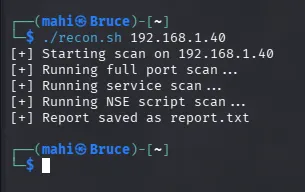
./recon.sh 192.168.1.40
The script performs:
A full TCP port scan
Service/version detection
NSE script scanning
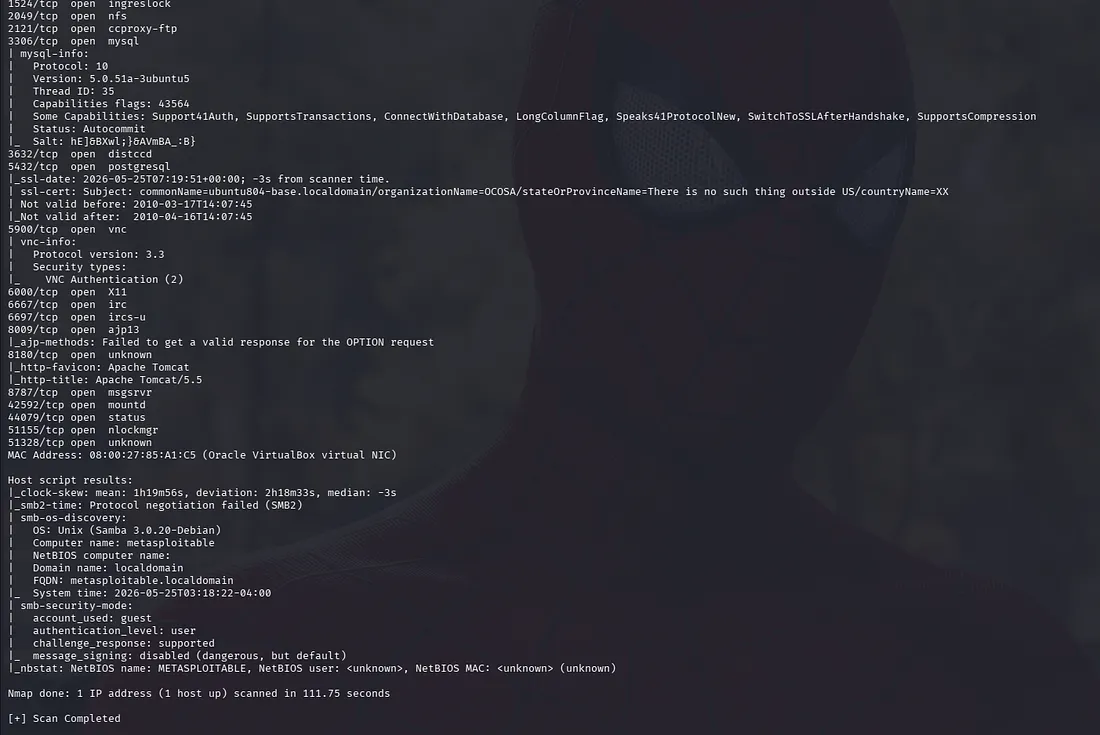
Report generationExample output:
Generating a Structured Text Report
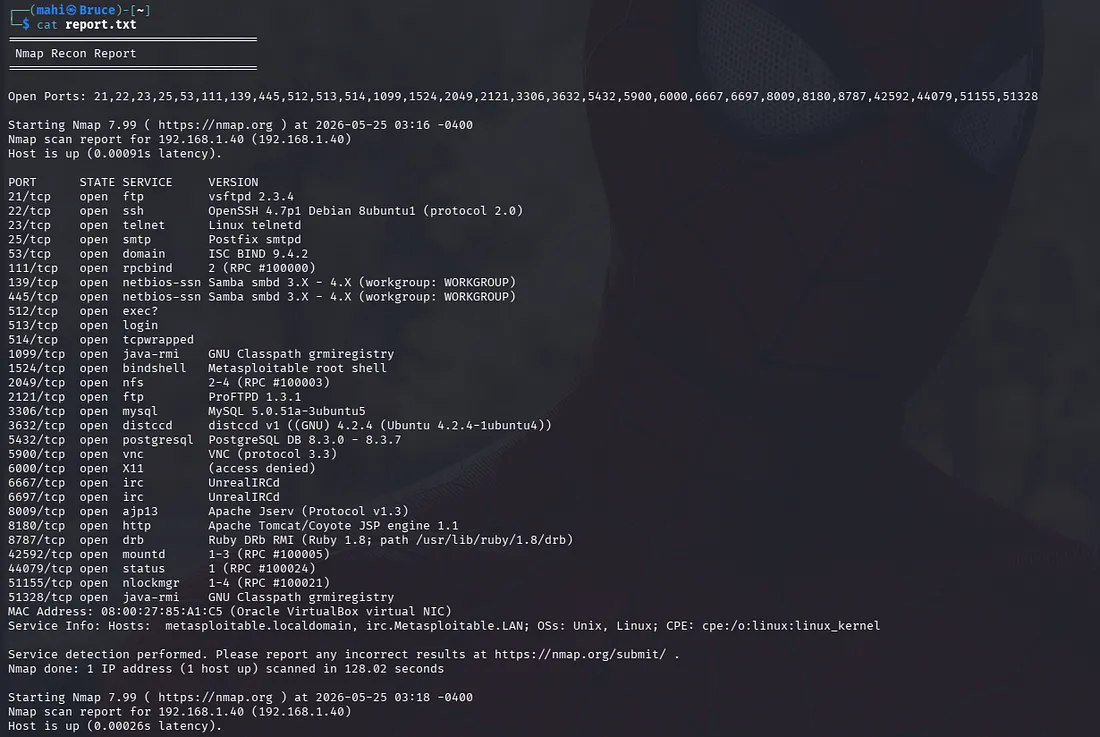
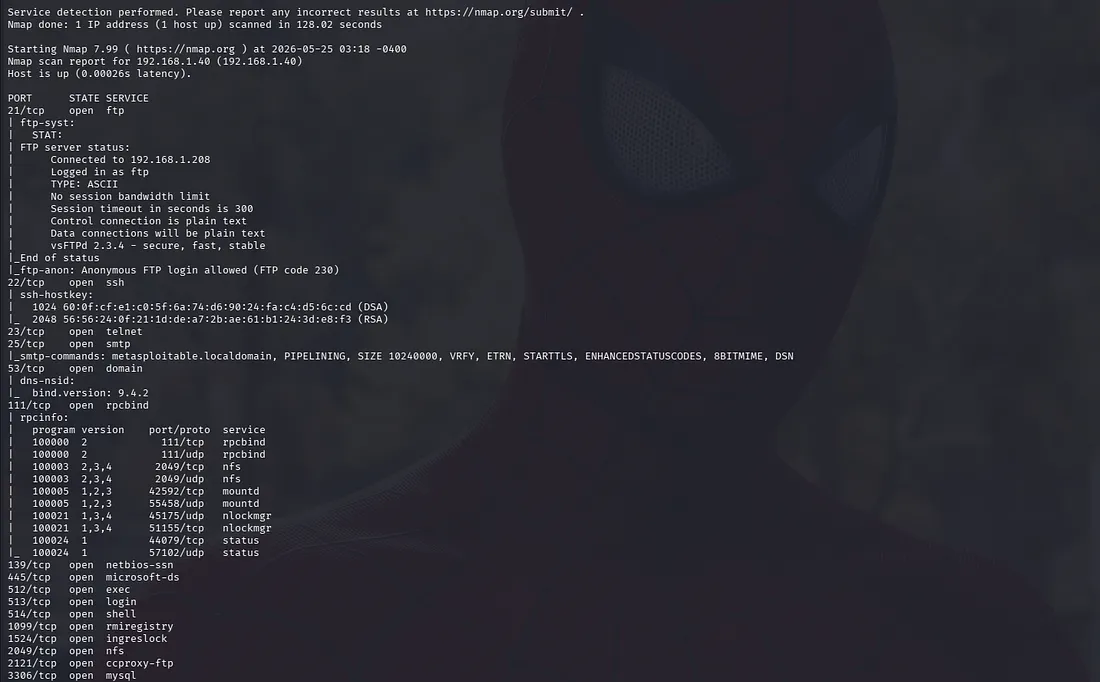
Instead of relying only on terminal output, the script generates a structured text report containing:
Target information
Open ports
Detected services
NSE scan results
Executed Nmap commands
All scan results are saved into a single report.txt file, making the output easier to read and review later.
Example report structure:
Final Thoughts
This project is not a replacement for enterprise vulnerability scanners such as:
Nessus
OpenVASQualys
However, it is a useful exercise for understanding:
Reconnaissance workflows
Automation
Bash scripting
Nmap internals
Structured reporting
Most importantly, it demonstrates the difference between:
Enumeration and Actual vulnerability validation
Reconnaissance identifies the attack surface.
Security testing validates real risk.
No comments yet.