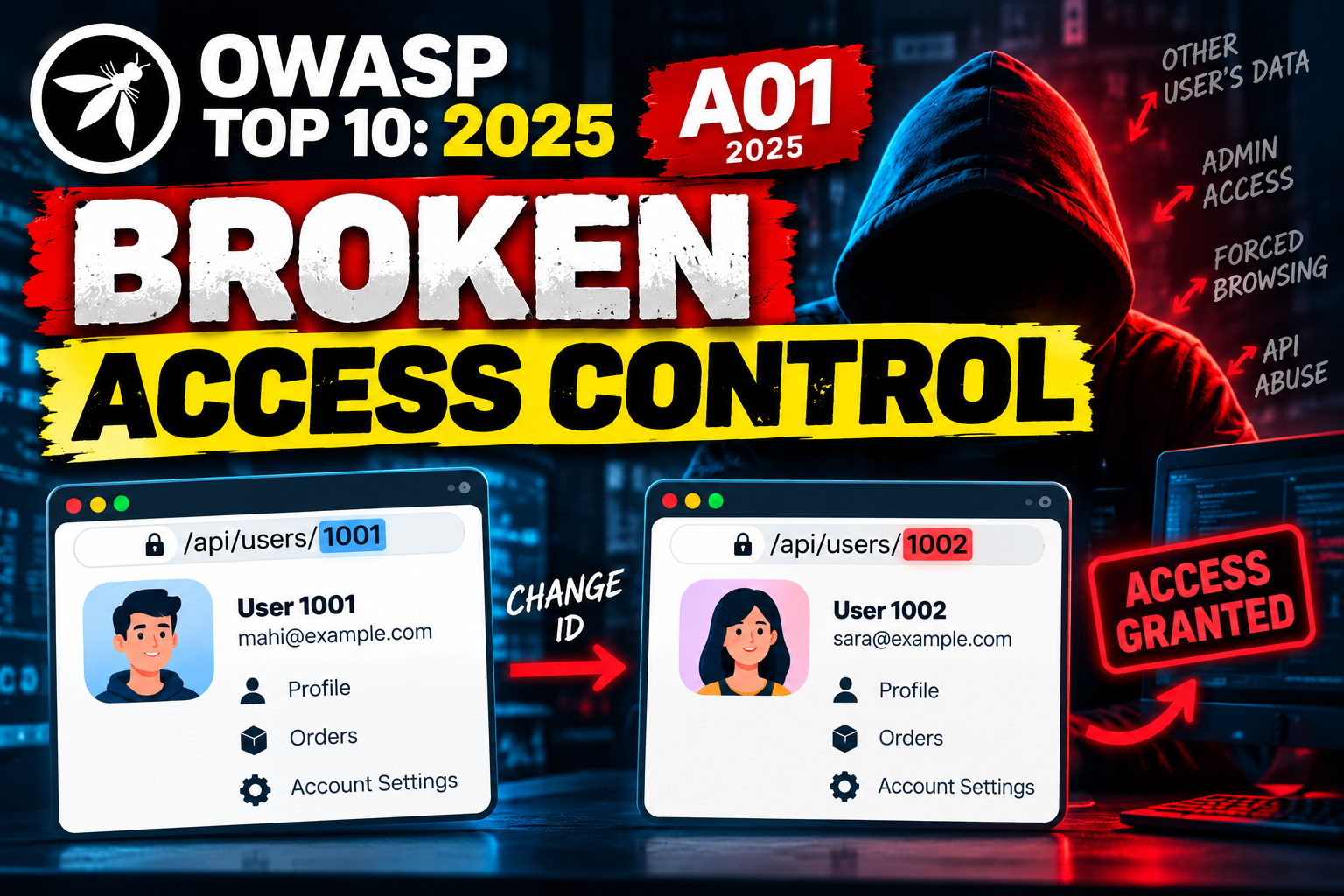
Imagine you log in to an online application.
Your account has an order:
GET /api/orders/1001You change the number:
GET /api/orders/1002And the server returns someone else's order.
You didn't steal their password.
You didn't bypass the login.
You simply accessed something your account was never supposed to access.
That's Broken Access Control.
It is A01:2025 in the current OWASP Top 10. OWASP describes access control as the mechanism that prevents users from acting outside their intended permissions. (OWASP Top 10)
Authentication vs Access Control
These two are different.
Authentication
Authentication answers:
Who are you?
For example:
Username: mahi
Password: ********

Login successful
Authorization
Authorization answers:
What are you allowed to do?
For example:
Normal User

View own profile        ✓
Edit own profile        ✓
View another user       ✗
Delete another user     ✗
Access admin panel      ✗
A user can be properly authenticated and still have broken authorization.
That's the core idea behind Broken Access Control.
1. IDOR / BOLA
One of the easiest examples to understand is IDOR (Insecure Direct Object Reference), commonly seen as BOLA (Broken Object Level Authorization) in APIs.
Suppose an application uses:
GET /api/users/1001The server returns:
{
  "id": 1001,
  "name": "Mahi",
  "email": "mahi@example.com"
}
Now change:
1001 → 1002GET /api/users/1002If another user's private information is returned, the application has failed to check whether the logged-in user is actually allowed to access user 1002.
The problem isn't that the ID is 1002.
The problem is:
The server trusted the object ID without checking authorization.
OWASP specifically lists access to another user's account through a user-controlled identifier as a common A01 vulnerability. (OWASP Top 10)
2. Horizontal Privilege Escalation
Imagine two normal users:
User A
User B
User A should only be able to access:
/api/profile/ABut User A changes the request to:
/api/profile/Band gets User B's information.
This is horizontal privilege escalation.
The attacker hasn't become an administrator.
They have simply moved sideways:
User A
  ↓
User B's data
3. Vertical Privilege Escalation
Now consider:
Normal User
     ↓
    Admin
A normal user discovers:
GET /admin/dashboardThe application should respond with:
403 ForbiddenBut instead it returns the administrator dashboard.
That's vertical privilege escalation.
The attacker has moved from a lower-privileged role to a higher-privileged role.
OWASP includes gaining privileges beyond those intended for the logged-in user as a Broken Access Control scenario. (OWASP Top 10)
4. Forced Browsing
Sometimes developers hide sensitive pages from normal users.
For example, an admin button isn't displayed:
[ Admin Panel ] ← hiddenBut hiding a button doesn't protect the endpoint.
An attacker can try requesting it directly:
GET /adminIf the server returns the admin page to a normal user, the application has an authorization problem.
This is commonly called forced browsing.
OWASP specifically identifies guessing or directly requesting privileged URLs as a Broken Access Control scenario. (OWASP Top 10)
5. API Authorization Problems
Modern applications depend heavily on APIs.
Consider:
GET    /api/users/1001
POST   /api/users/1001
PUT    /api/users/1001
DELETE /api/users/1001
A developer might correctly protect GET but forget to protect DELETE.
That could result in:
GET /api/users/1001
→ Authorization ✓

DELETE /api/users/1001
→ Authorization ✗
The user is authenticated, but the server failed to check whether they are allowed to perform that operation.
OWASP specifically highlights missing access controls on API operations such as POST, PUT, and DELETE. (OWASP Top 10)
6. Never Trust the Frontend
Consider this:
if (user.role === "admin") {
    showAdminPanel();
}
This only hides the button.
It does not protect the backend.
An attacker can ignore the frontend and directly send:
GET /api/admin/usersusing Burp Suite, curl, or another HTTP client.
The server must perform the authorization check.
Browser
   ↓
Request
   ↓
Server
   ↓
Authorization Check
   ↓
Allow / Deny
OWASP recommends enforcing access control in trusted server-side code or serverless APIs rather than relying on client-side controls. (OWASP Top 10)
7. JWT and Cookie Manipulation
Applications often store authorization-related information in:
JWTs
Cookies
Hidden fields
Request parameters
For example:
{
  "user": "1001",
  "role": "user"
}
If an application blindly trusts client-controlled authorization information, an attacker may attempt to manipulate it.
The important point is:
A value coming from the client cannot automatically be treated as proof of permission.
The server must properly validate the token and enforce authorization.
OWASP includes manipulation of JWTs, cookies, hidden fields, and other metadata within A01. (OWASP Top 10)
8. SSRF in A01:2025
There is an important change in the 2025 OWASP Top 10.
SSRF was a separate category in the 2021 edition.
In OWASP Top 10:2025, SSRF has been incorporated into A01: Broken Access Control. (OWASP Top 10)
The basic idea is still about crossing an access boundary.
For example:
Attacker
   ↓
Web Application
   ↓
Internal Service
The attacker cannot directly reach the internal service.
But the vulnerable server can.
If the attacker can manipulate the server into making that request, the application may be allowing access to something outside the user's intended permissions.
How to Test Broken Access Control
During an authorized security assessment, don't only test whether you can log in.
Test what each account can actually access.
Step 1 — Create two users
User A
User B
Step 2 — Capture User A's request
For example:
GET /api/orders/1001Step 3 — Change the object ID
GET /api/orders/1002Step 4 — Compare the response
If User A can access User B's private order, you've found an authorization issue.
Test Different Roles
If an application has:
Guest
User
Moderator
Admin
test whether lower-privileged users can access higher-privileged functionality.
For example:
User → Admin endpoint
User → Moderator function
User → Another user's resource
The question is always:
Can this account perform something it isn't supposed to perform?
What Should You Look For?
During testing, pay attention to:
/api/users/
/api/orders/
/api/profile/
/api/files/
/api/documents/
/api/payments/
/admin/
/moderator/
And parameters such as:
id=
user_id=
account_id=
order_id=
document_id=
file_id=
But finding an ID parameter isn't automatically a vulnerability.
The vulnerability exists when the server fails to verify whether the current user is authorized to access that object.
How to Prevent Broken Access Control
1. Deny by default
Unless something is intentionally public:
No permission
     ↓
Access denied
OWASP recommends a deny-by-default approach. (OWASP Top 10)
2. Check authorization server-side
Every sensitive request should go through an authorization check.
Who is the user?
       ↓
What resource?
       ↓
What action?
       ↓
Is the user allowed?
       ↓
Allow / Deny
3. Check ownership
Don't simply ask:
"Does order 1002 exist?"Also ask:
"Does order 1002 belong to this user?"4. Protect every endpoint
Don't assume protecting the UI protects the API.
Every sensitive API operation needs appropriate authorization.
5. Use least privilege
Give users only the permissions they actually need.
6. Log authorization failures
Repeated attempts to access other users' objects or admin functions can be an important security signal. OWASP recommends logging access-control failures and alerting administrators when appropriate. (OWASP Top 10)
Common Mistakes
"The user has to log in."
Being authenticated doesn't mean being authorized.
"The admin button is hidden."
Hidden UI isn't security.
"The ID is random."
Random IDs can make guessing harder, but they don't replace authorization.
"The API is internal."
If users can reach it through the application, it still needs proper access control.
"We check permissions in JavaScript."
The attacker controls the browser.
Final Takeaway
Broken Access Control is ultimately about one question:
Is this user actually allowed to perform this action on this resource?
If the answer is no, the server must reject the request.
User
 ↓
Authentication
 ↓
Authorization
 ↓
Resource + Action Check
 ↓
Allow / Deny
An attacker doesn't always need to break authentication.
Sometimes they can simply ask the application for something they were never supposed to have.
That's why A01:2025 – Broken Access Control remains at the top of the current OWASP Top 10. OWASP's 2025 contributed testing data found some form of broken access control in 100% of the tested applications; that figure applies to the contributed dataset, not to every web application generally. (OWASP Top 10)
Authentication answers: "Who are you?"
Authorization answers: "What are you allowed to do?"
Broken Access Control happens when the application gets the second question wrong.
No comments yet.